
Code Signing
About Code Signing
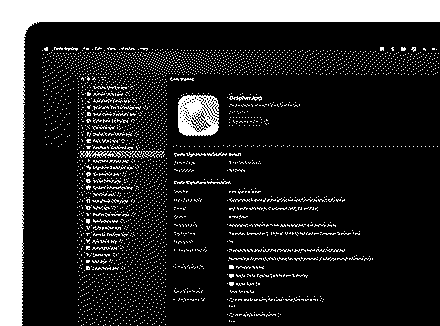
Code Signing is the fastest way to inspect and validate the code signature of any macOS file — apps, binaries, frameworks, installers — without touching the Terminal.
Drag and drop a file and verification starts instantly. No flags to remember, no OSStatus codes to look up. Code Signing uses Apple's native Security framework to read the signature and present the results clearly.
WHAT YOU CAN DO
• Validate signatures instantly — see validity, signing authority/certificate, Team Identifier, timestamp, and code format at a glance, with every error clearly highlighted.
• Inspect entitlements — view an app's entitlements in a clean, human-readable format, and search the built-in entitlements glossary to understand each one.
• View hashes — read code directory hashes (CDHash) and file checksums.
• Browse Info.plist — explore the embedded Info.plist without leaving the app.
• Compare multiple files — add several files to the sidebar to validate them in parallel and highlight common entries side by side.
• Decode error codes — a built-in Security error-code glossary turns cryptic OSStatus values into constant names and plain-English descriptions.
• Right-click in Finder — inspect any file straight from Finder with the included extension.
Built for developers who ship signed software and want answers in seconds, not a Terminal session.
"Code signing" is a macOS security technology that certifies an app was created by you. Once an app is signed, the system can detect any change to it — whether introduced accidentally or by malicious code.
What's New — v1.0.10 · 2 Jul 2026
Performance and stability improvements.
Information
- Kind
- Application
- Price
- $1.99
- Category
- Developer Tools
- Where
- macOS 11.0+
- Version
- 1.0.10
- Modified
- 2 Jul 2026
- Size
- 0 MB
- Rating
- —
- Created by
- Sergii Kryvoblotskyi